
Every financial action—payments, wallet transfers, payees, card linking, and checkout—starts with a registered user.
Integrate User Management
Use the User Management API to create, list, and retrieve users.These endpoints are required for onboarding users into your platform and enabling any financial features.
Create User
Register a new user under your platform. Required before enabling financial actions.
List Users
Retrieve all users associated with your platform account.
Get User
Fetch complete user details including profile, compliance status, and linked methods.
User Workflow with Paywint
1
Register the user
Call Create User to create a Paywint user record and obtain a Paywint User ID.
2
3
User can access financial features
Users can
add bank accounts,
add cards,
create payees,
and use their Paywint wallet.
Most features are available by default, and some advanced capabilities may require contacting the Paywint support team.
Most features are available by default, and some advanced capabilities may require contacting the Paywint support team.
4
Start processing payments
Users can immediately make wallet-to-wallet payments.
For other payment types, usage depends on whether required verification steps have been completed.
For other payment types, usage depends on whether required verification steps have been completed.
Merchant Dashboard
Manage users directly from the merchant dashboard.View user details, verification status, wallet balances, payment activity, and more.
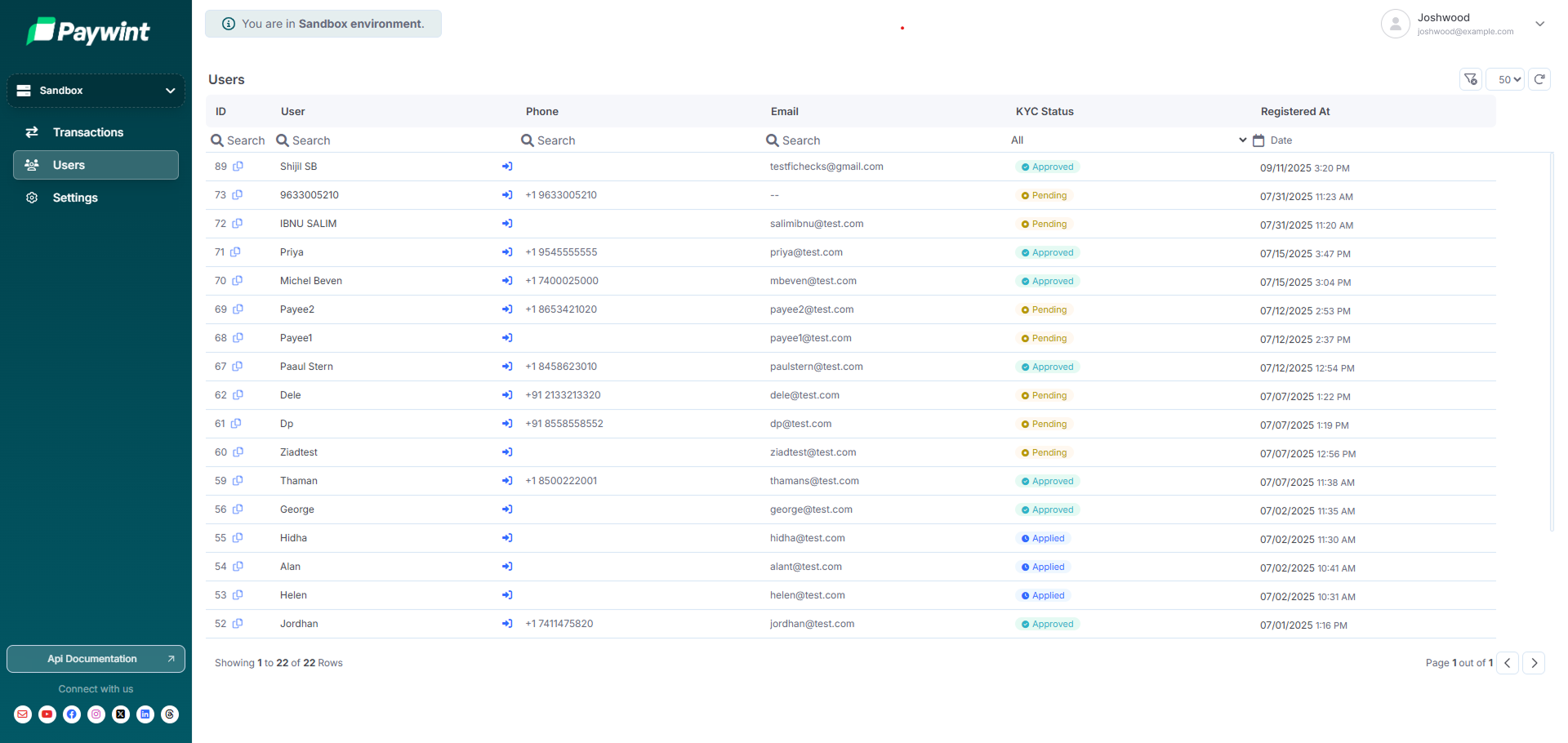
Sandbox Dashboard
Access your sandbox merchant dashboard for testing and integration.
Production Dashboard
Manage live users and financial operations in production.